You pay for thousands of contacts.
How many can you actually use?
That figure appears nowhere in HubSpot. You export, I measure, and I tell you where to start. A few clicks on your side, the rest comes from mine.
See the offersWhat an Inspectable audit reveals
The figures below come from a base built for the demonstration.
(119 of 1,400 paid)
nobody works them
(missing or invalid)
to validate before merging
The GDPR separates four situations, and each calls for a different move: the person has refused, their address is rejected by mail servers, it is malformed, or the retention period has been exceeded. The report counts them separately, never as a total. These indicators describe the state of an export; they are neither a regulatory audit, nor a certification, nor legal advice.
Signs of a sick HubSpot base
Four signs one export is enough to measure
Your team keeps its own list on the side
A few wrong numbers, a few emails that bounce back, and a rep stops looking in the CRM: they build their own file. Nobody knows where the real contact details are any more.
Your open rates stop meaning anything
An abandoned address still receives, it never opens. It does not bounce, so it stays in the calculation and drags your rate down, with nothing telling you how many there are.
You pay per contact, including for the dead ones
HubSpot bills per marketing contact. A duplicate counts twice, and an inactive record costs the same as a customer.
Your pipeline holds leads nobody calls
A lead with no owner and no status clears no stage. It stays in the account, it distorts your volumes, and nobody ever calls it back.
What you receive
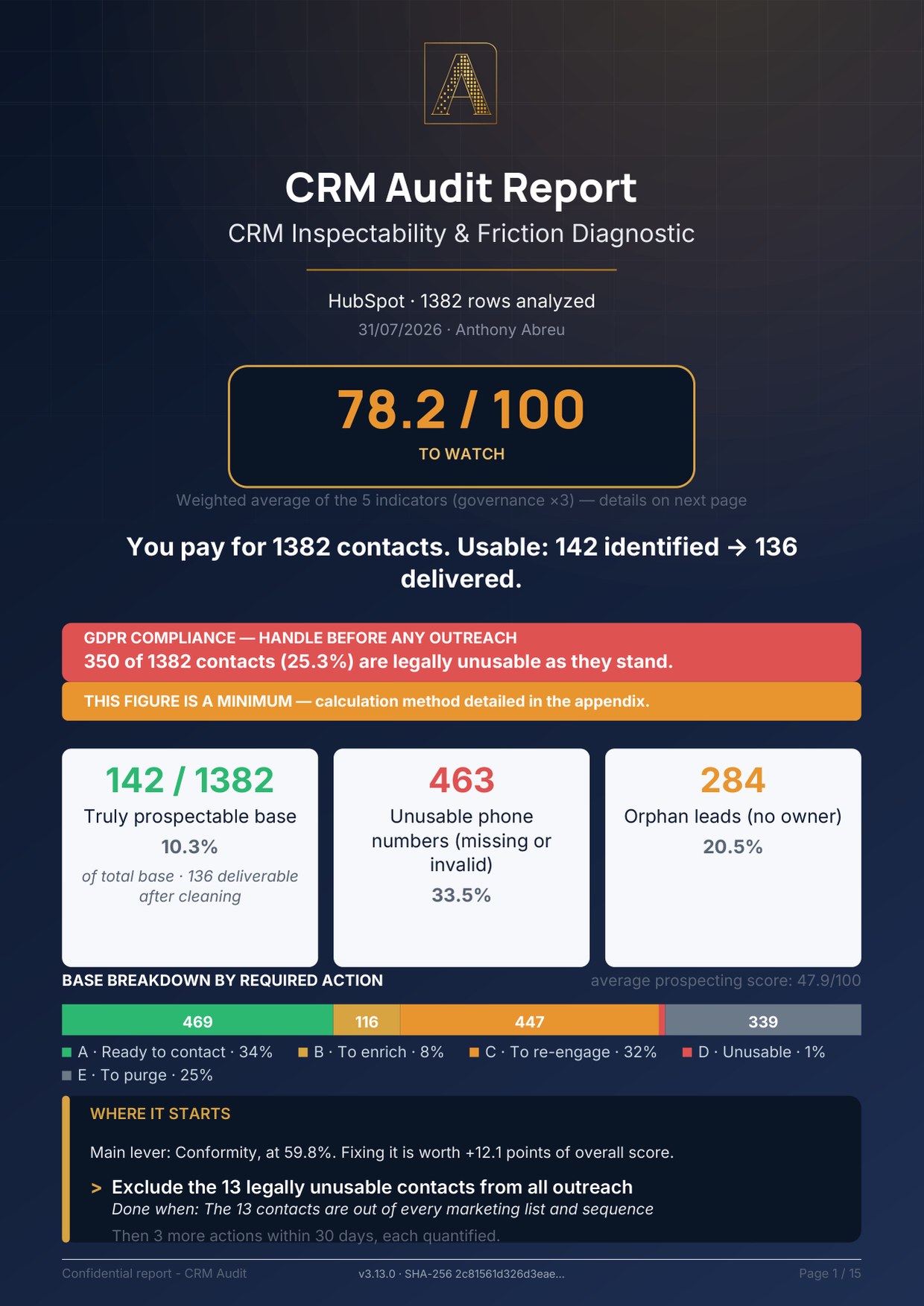
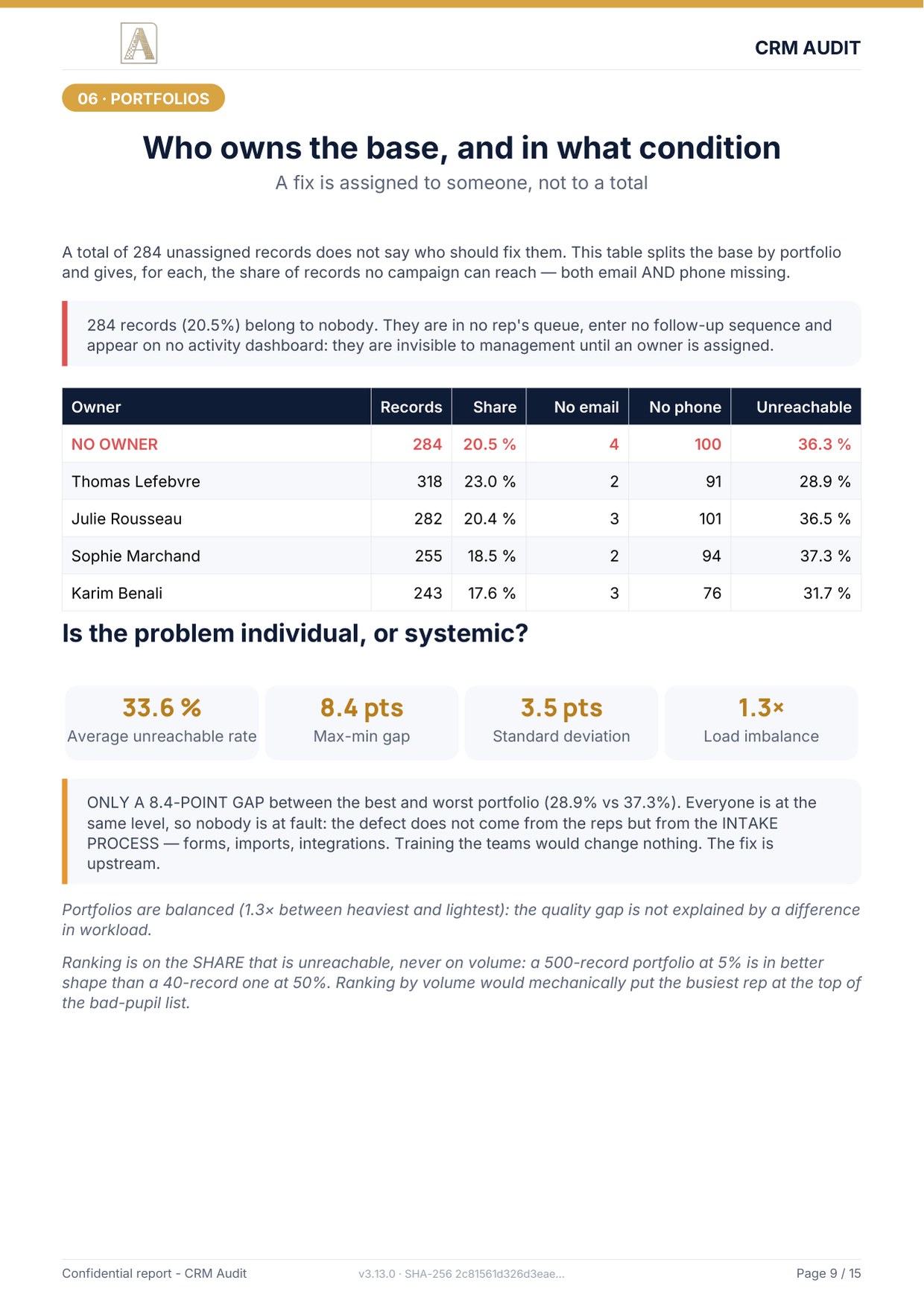

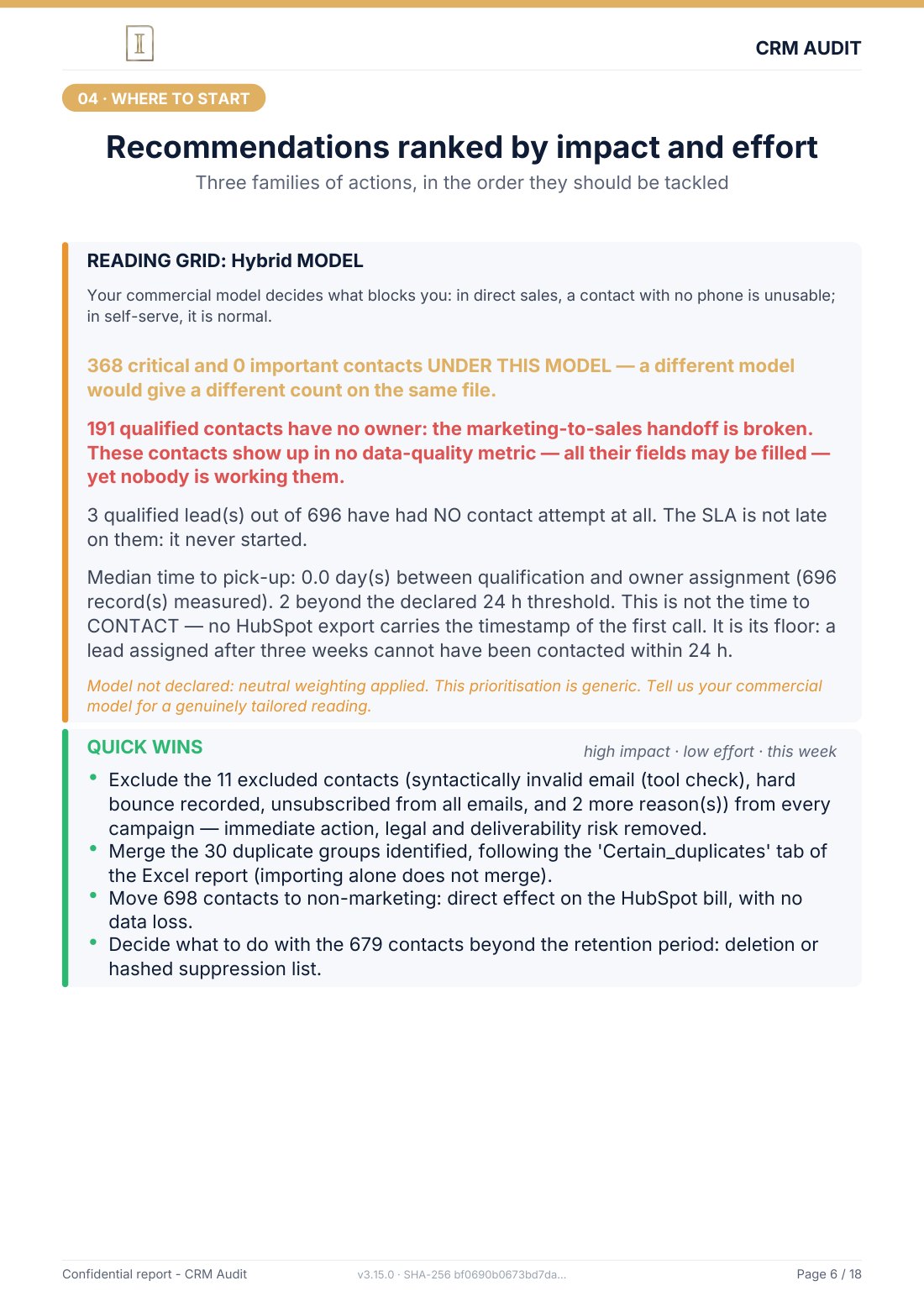
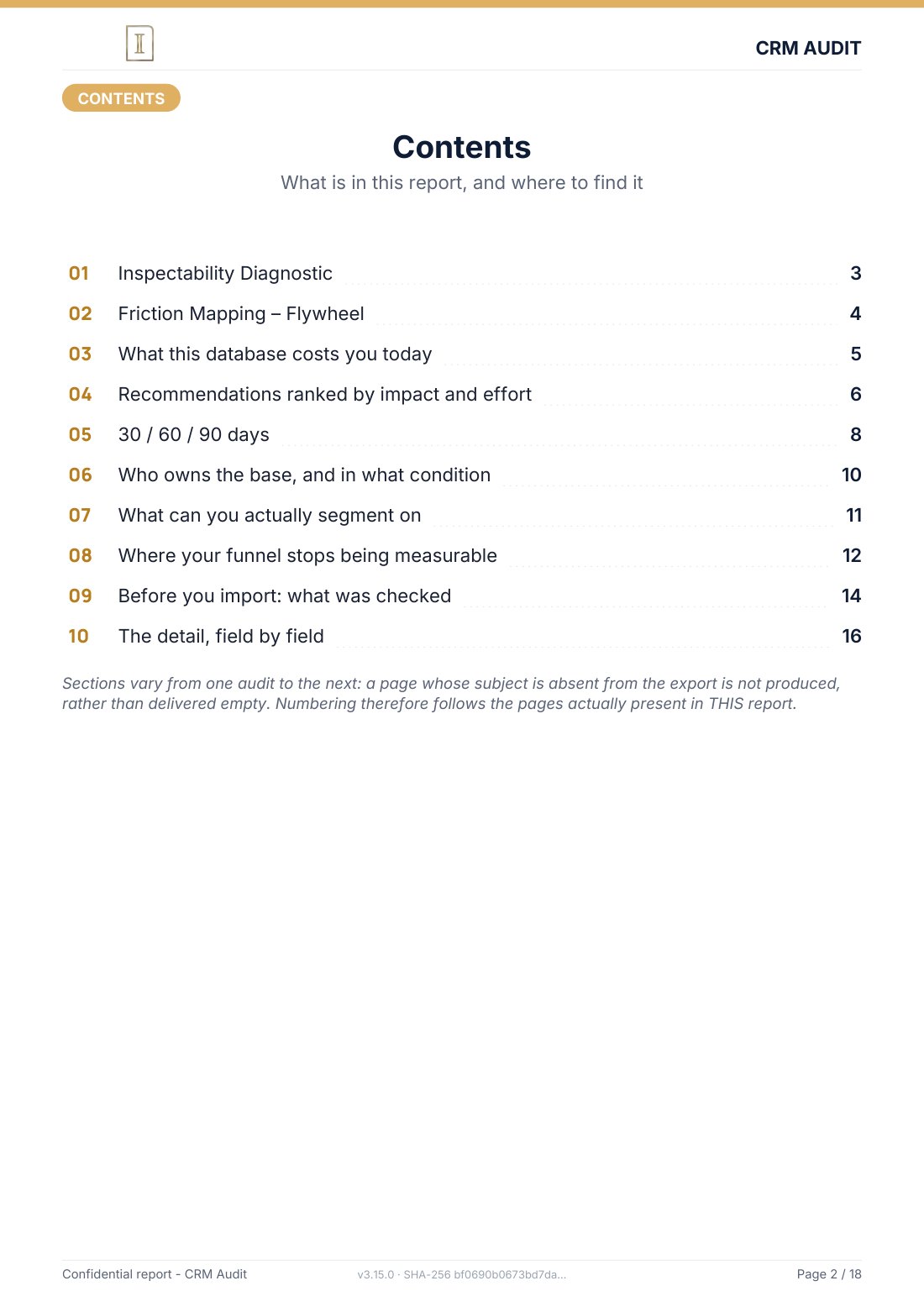
The full audit report stands on its own in front of your committee. Each reader finds their pages together, leadership, RevOps, the CRM owner, the DPO, and under each figure you read how many records it was calculated on. Nobody has to take your word for it. The number of pages varies from one audit to the next: a section whose subject is absent from your export is not produced, rather than delivered empty.
The mini-audit is the first page only: your score, the truly prospectable share, the GDPR nature that weighs most, and the first action to take. It also carries a section saying what it does not say, so you know what is missing before you decide.
See the report page by pageSee the report page by page
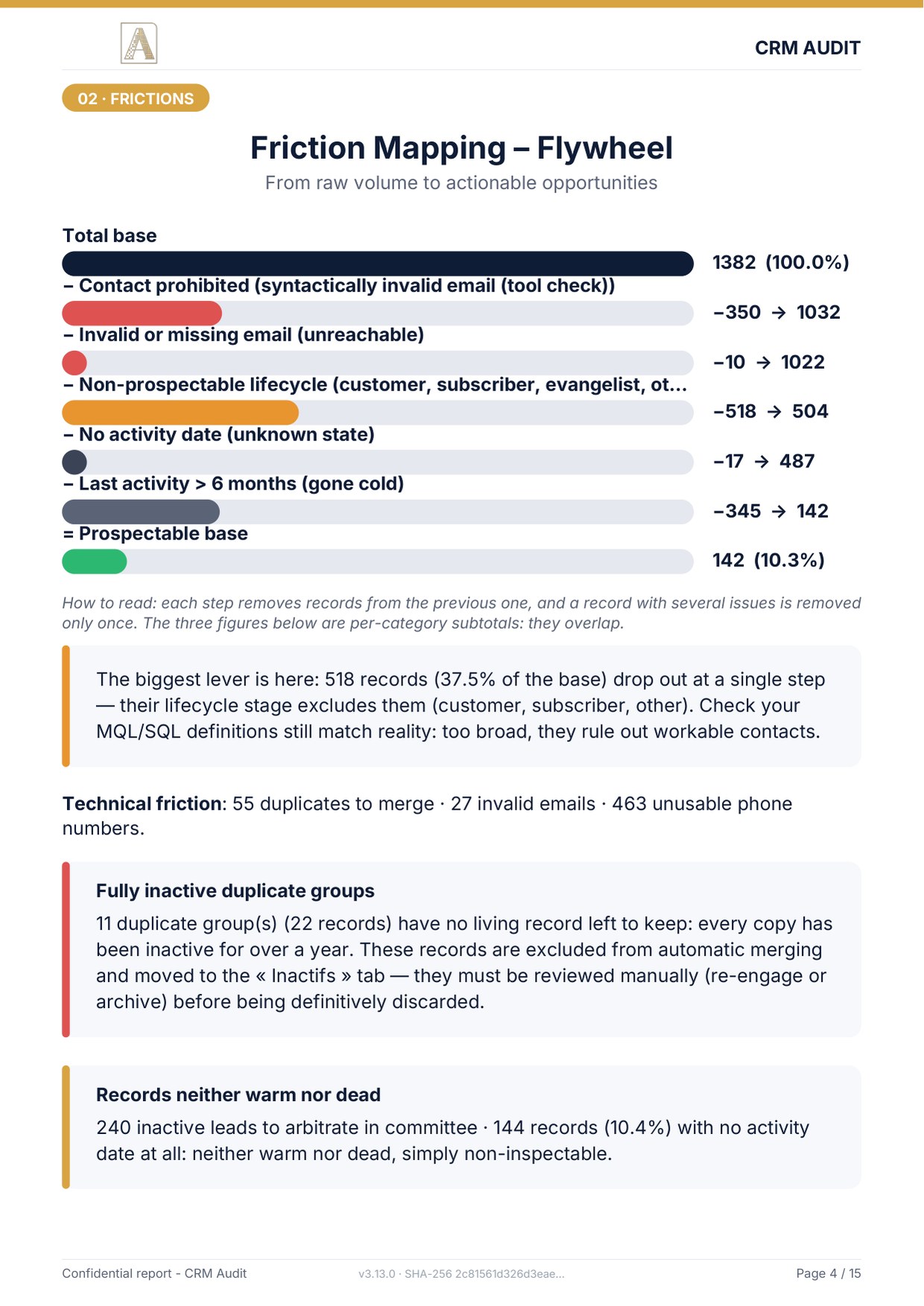
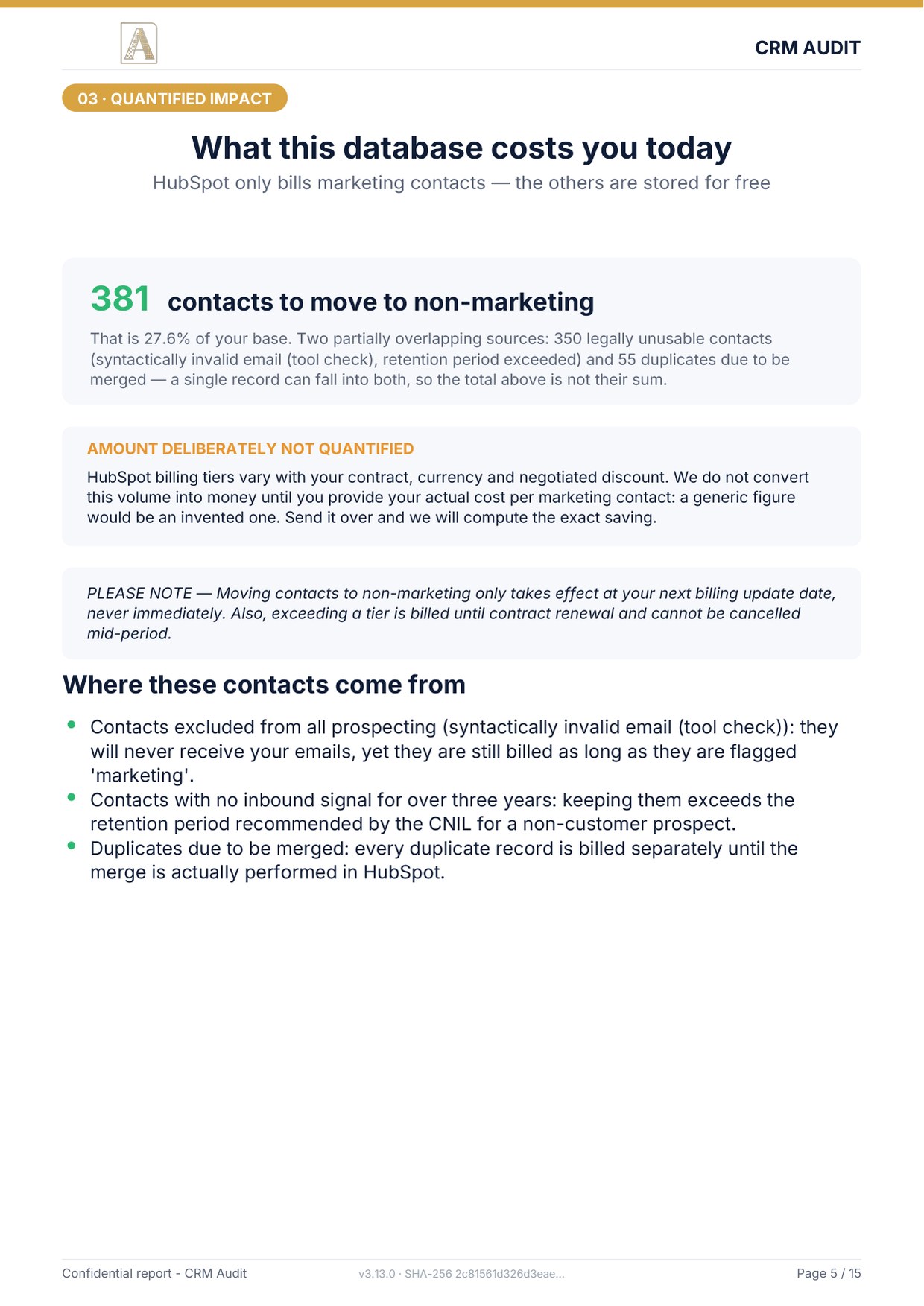
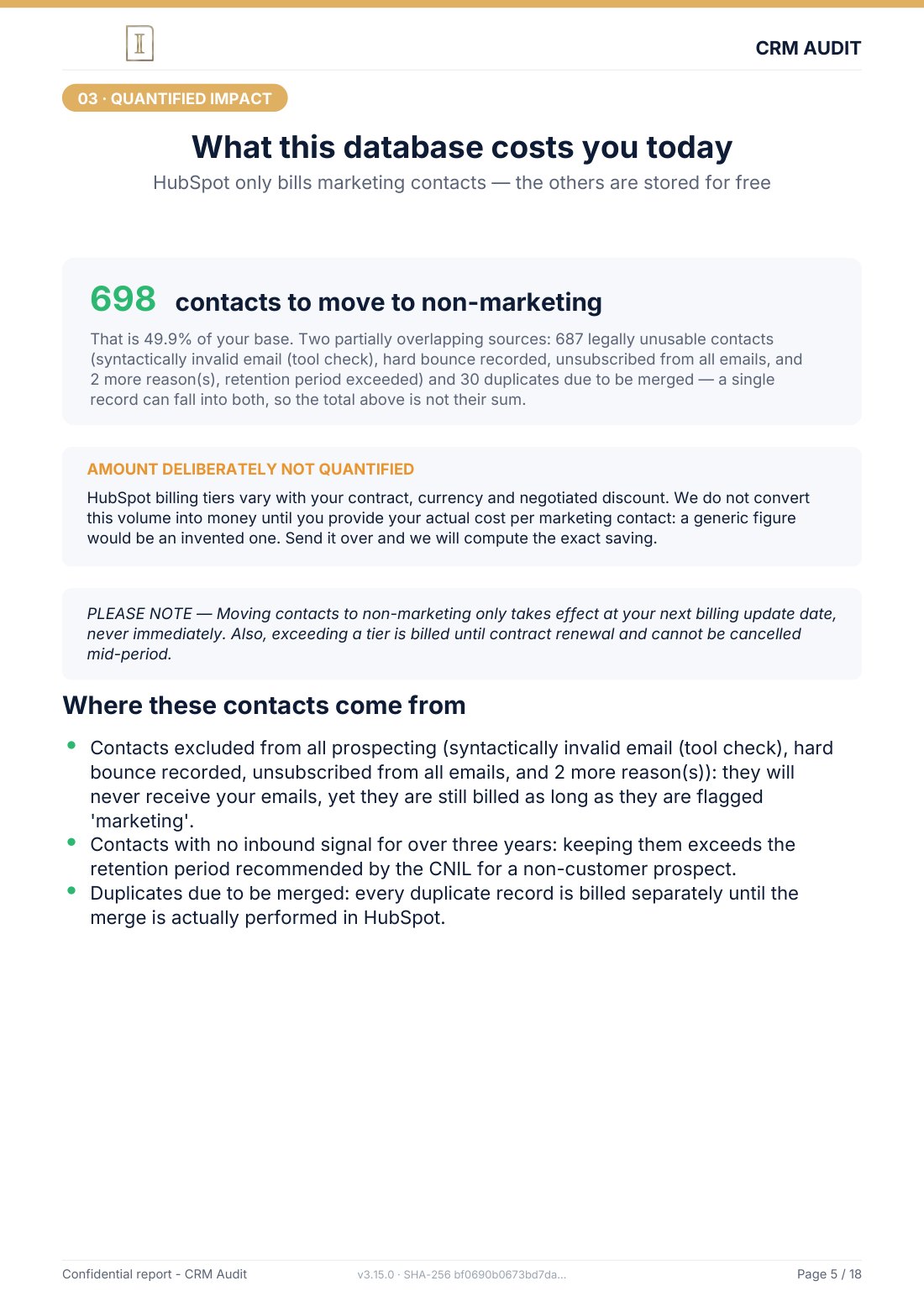
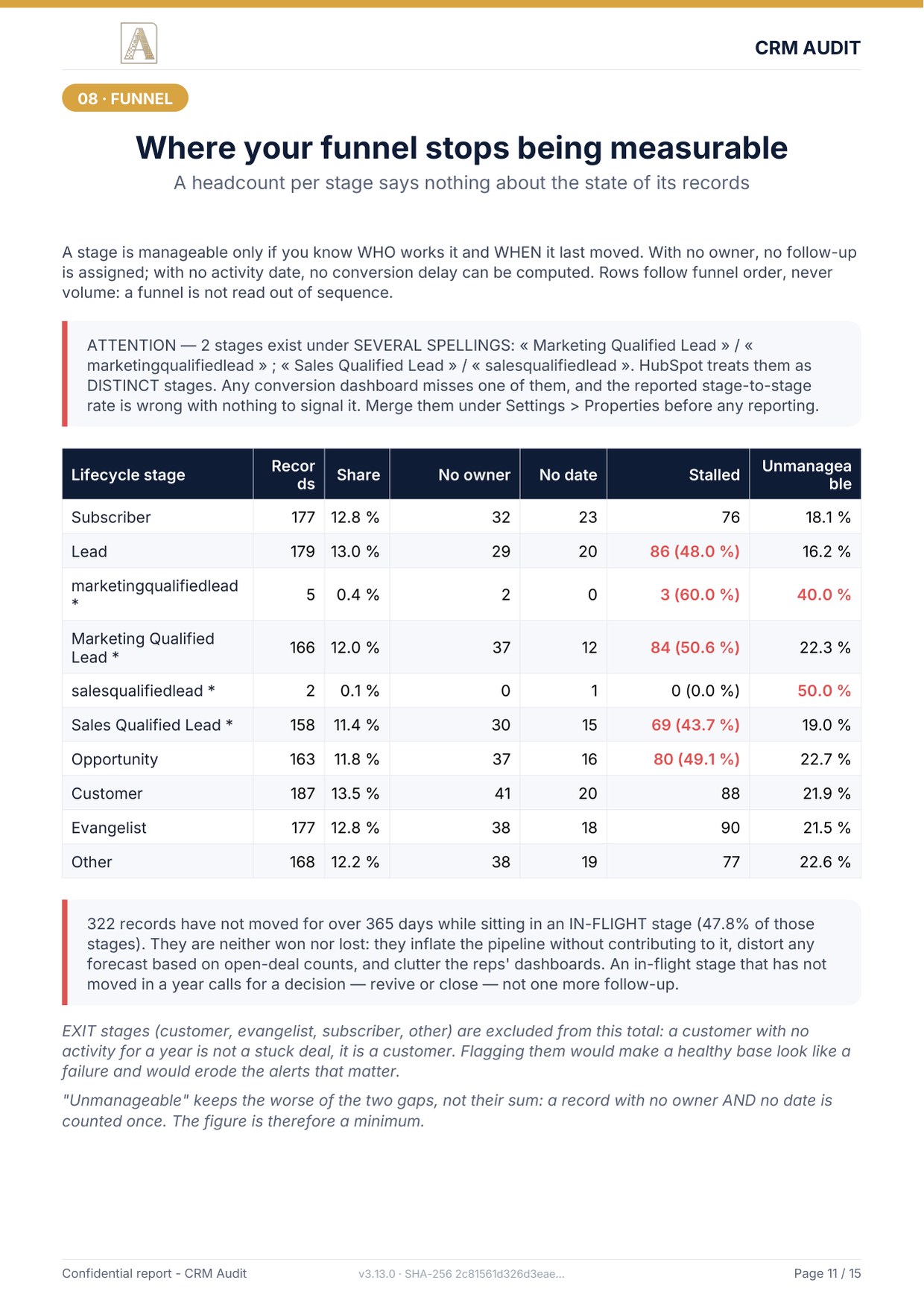
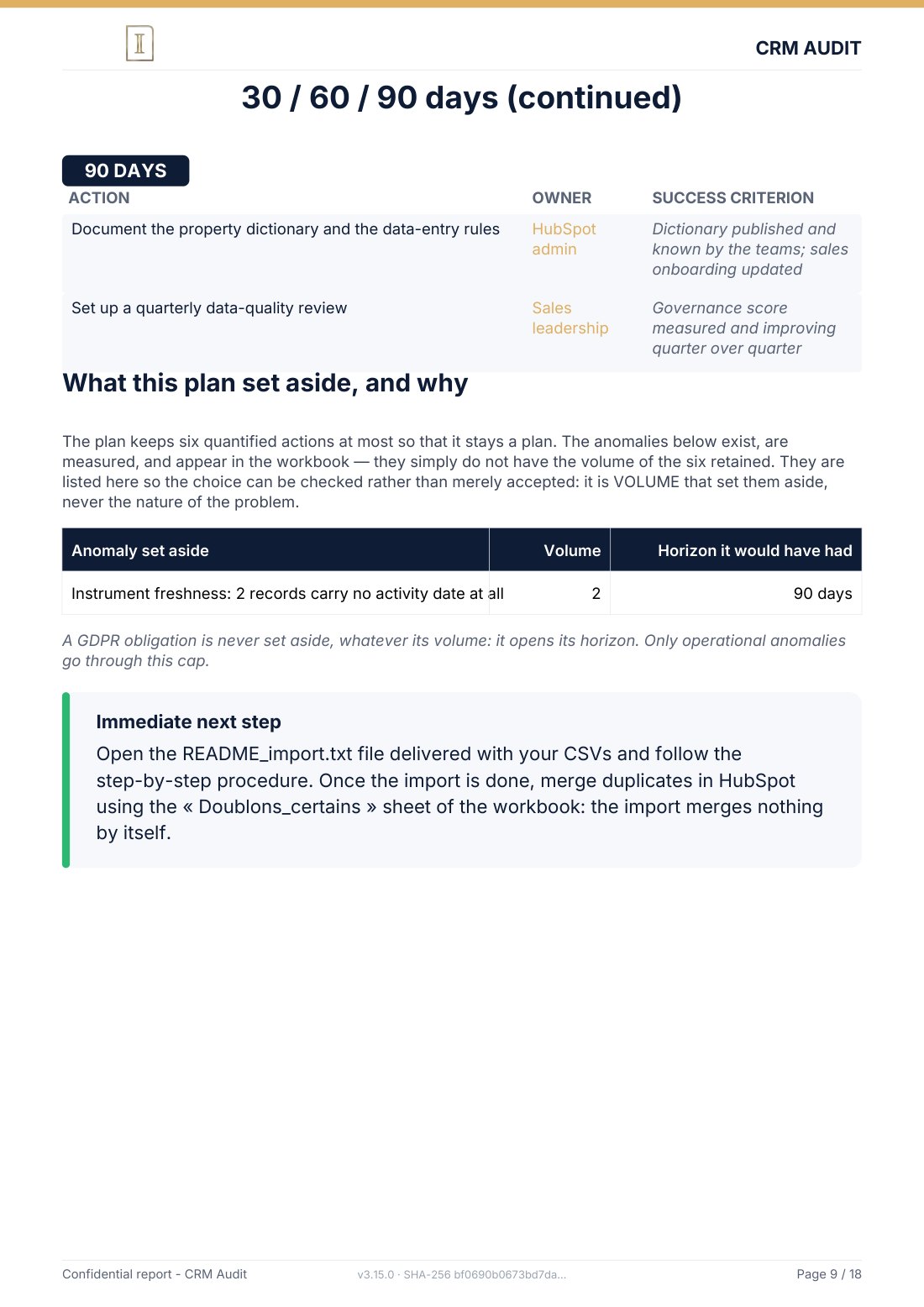
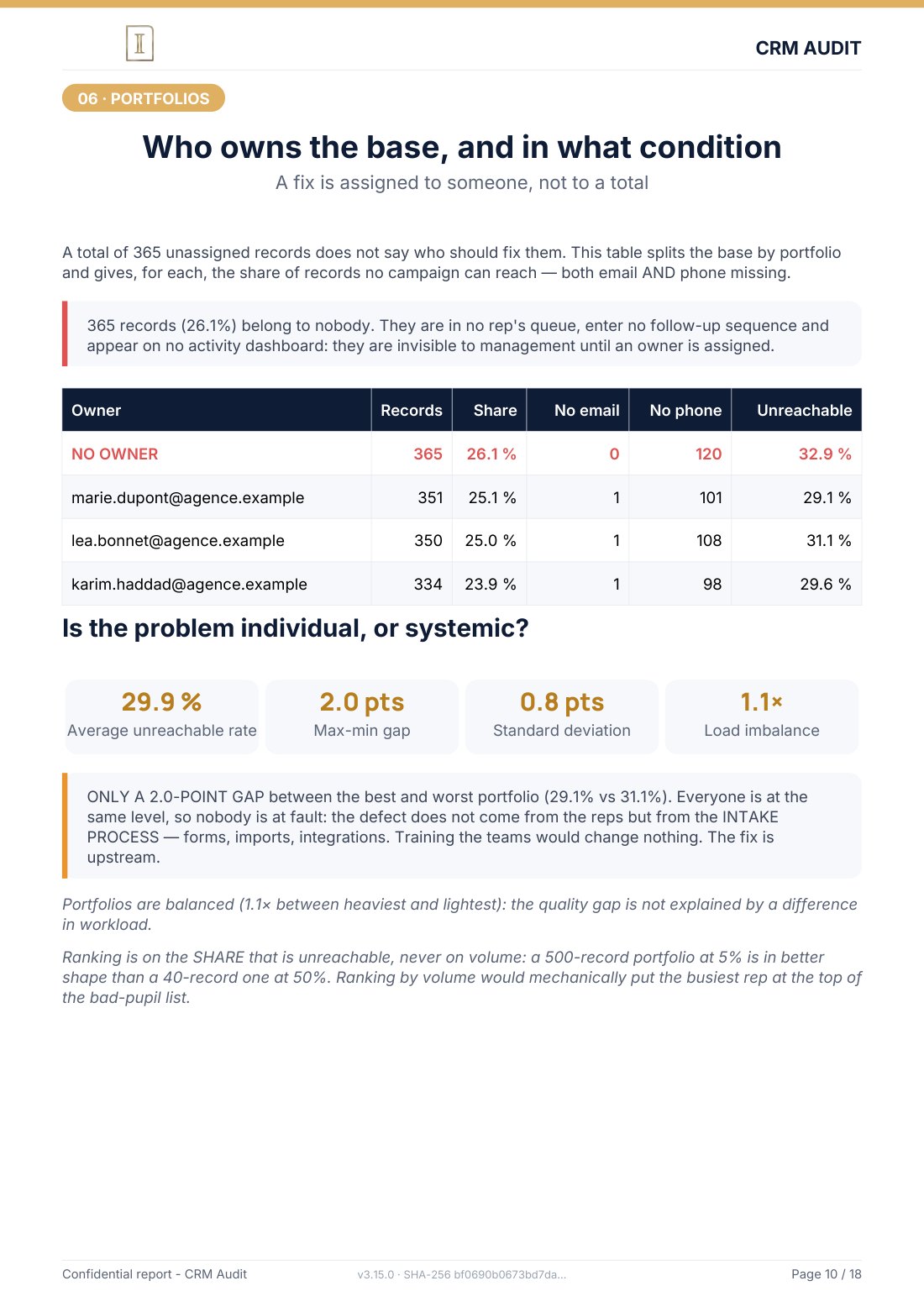
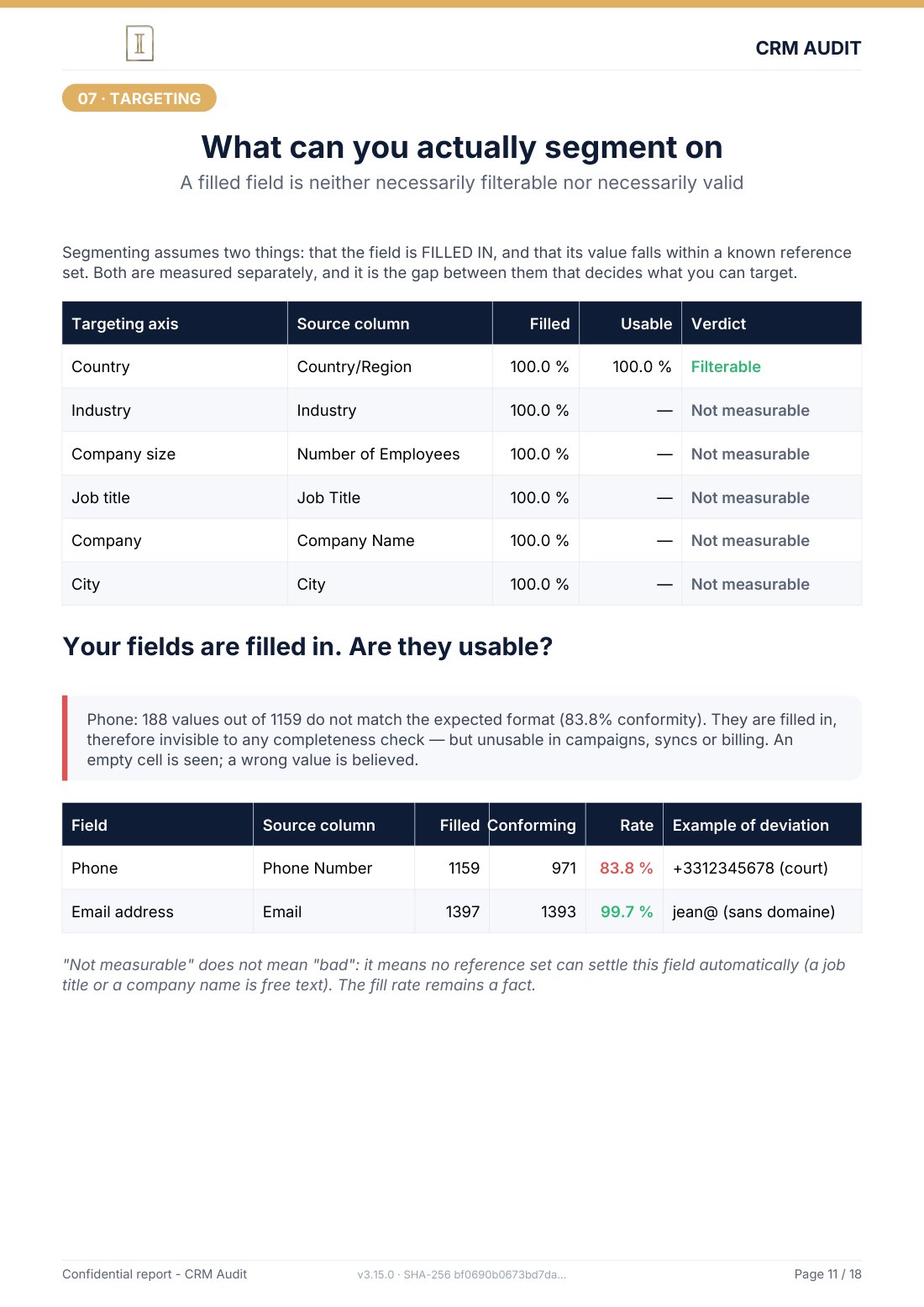
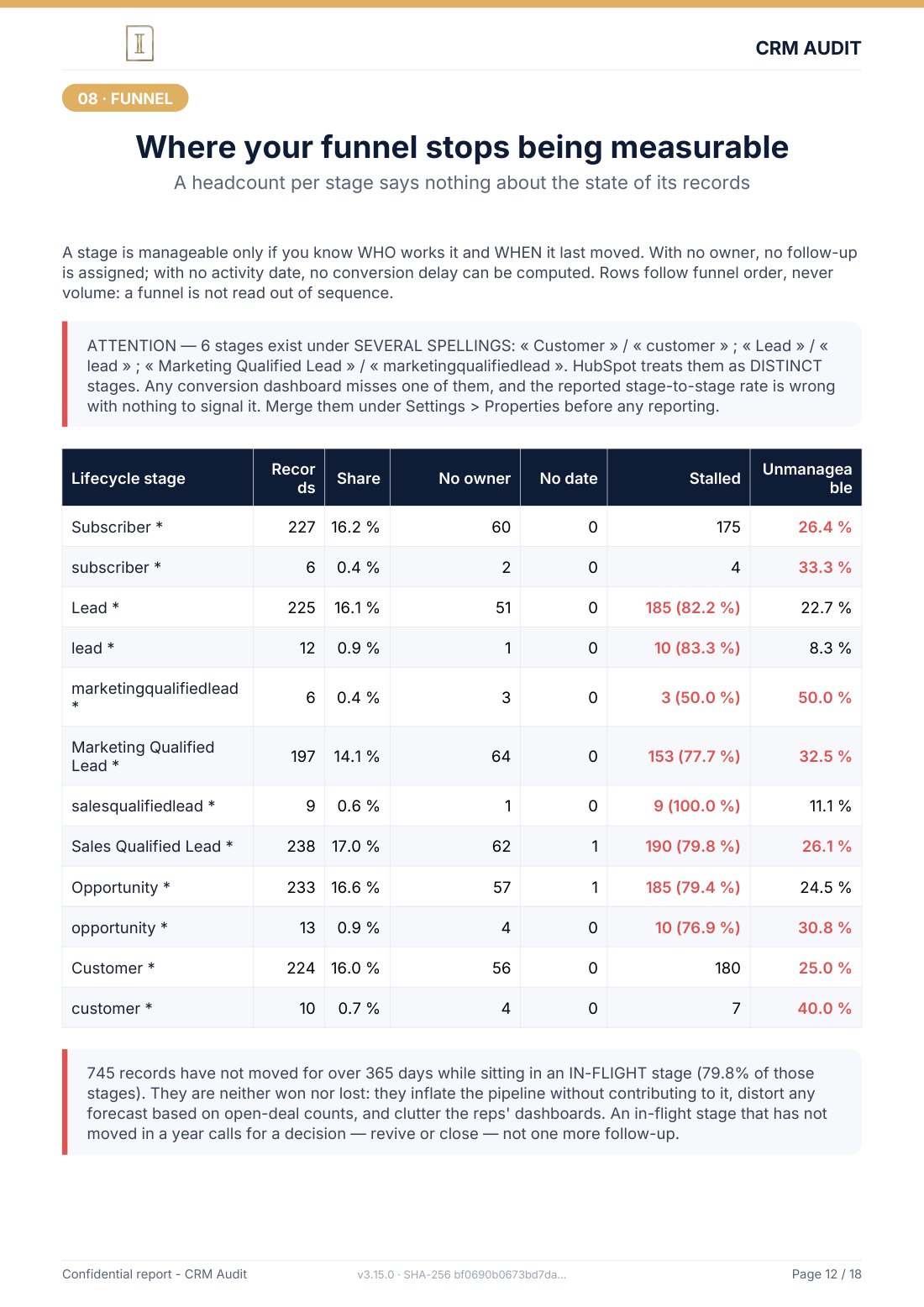
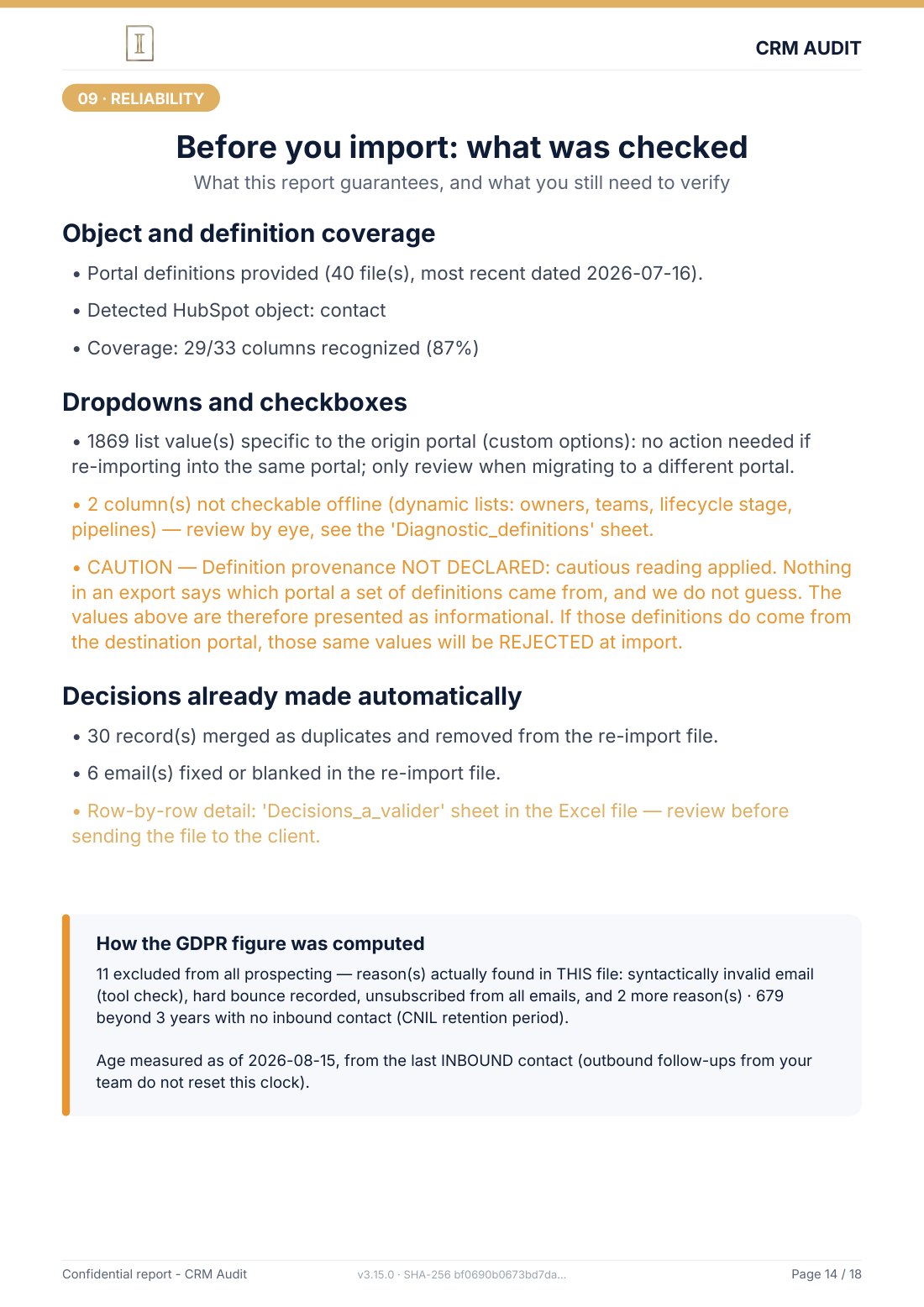
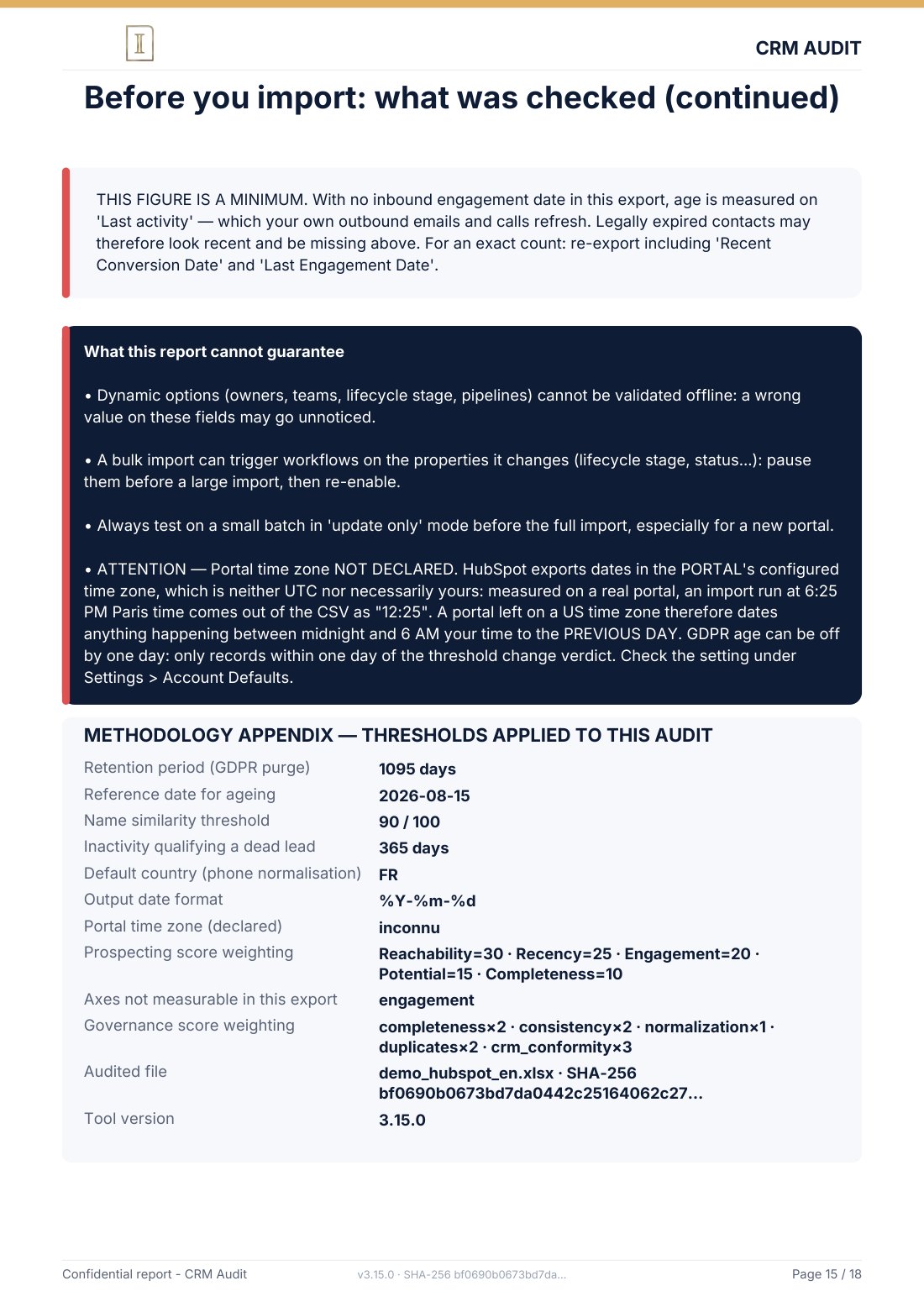
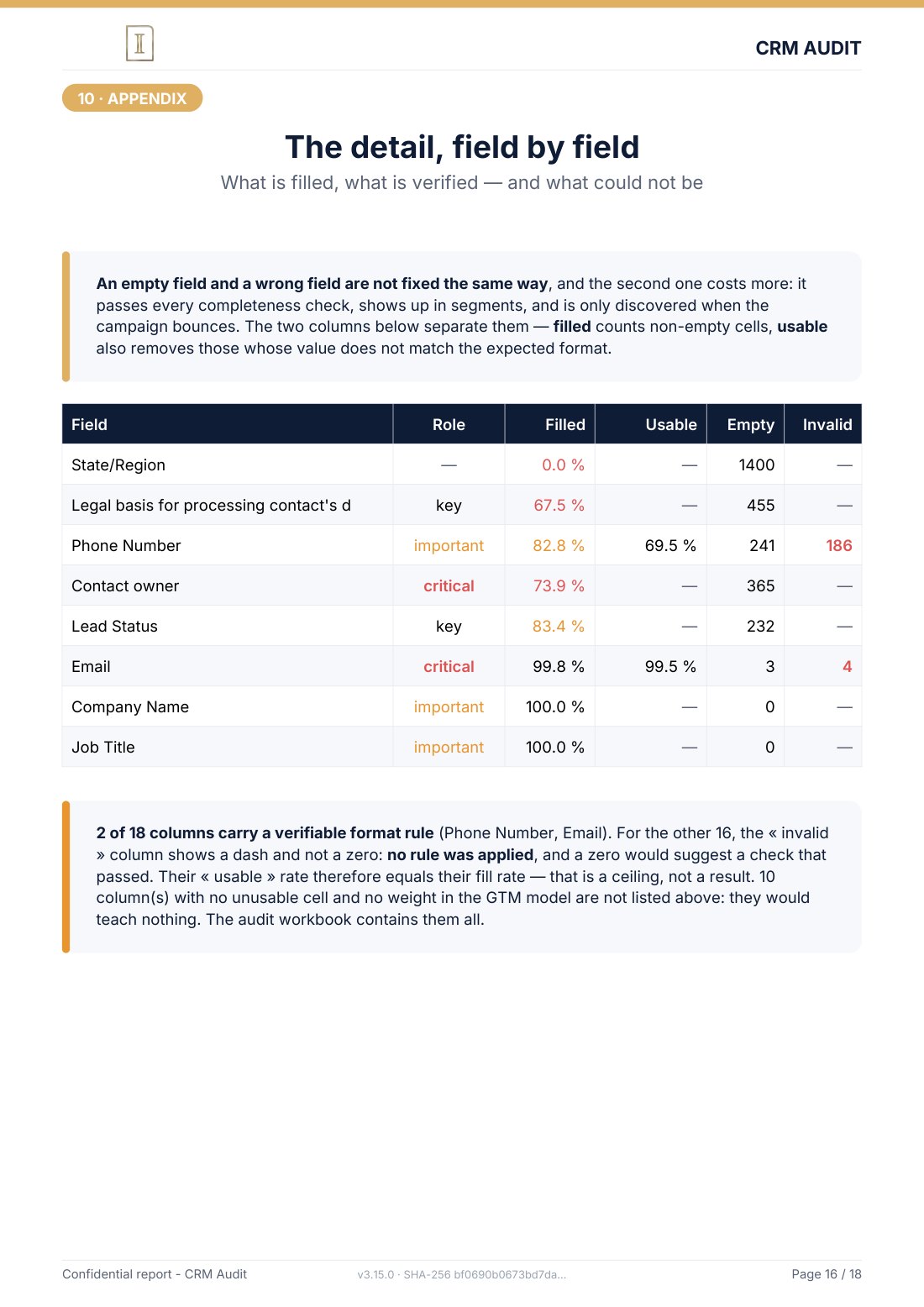
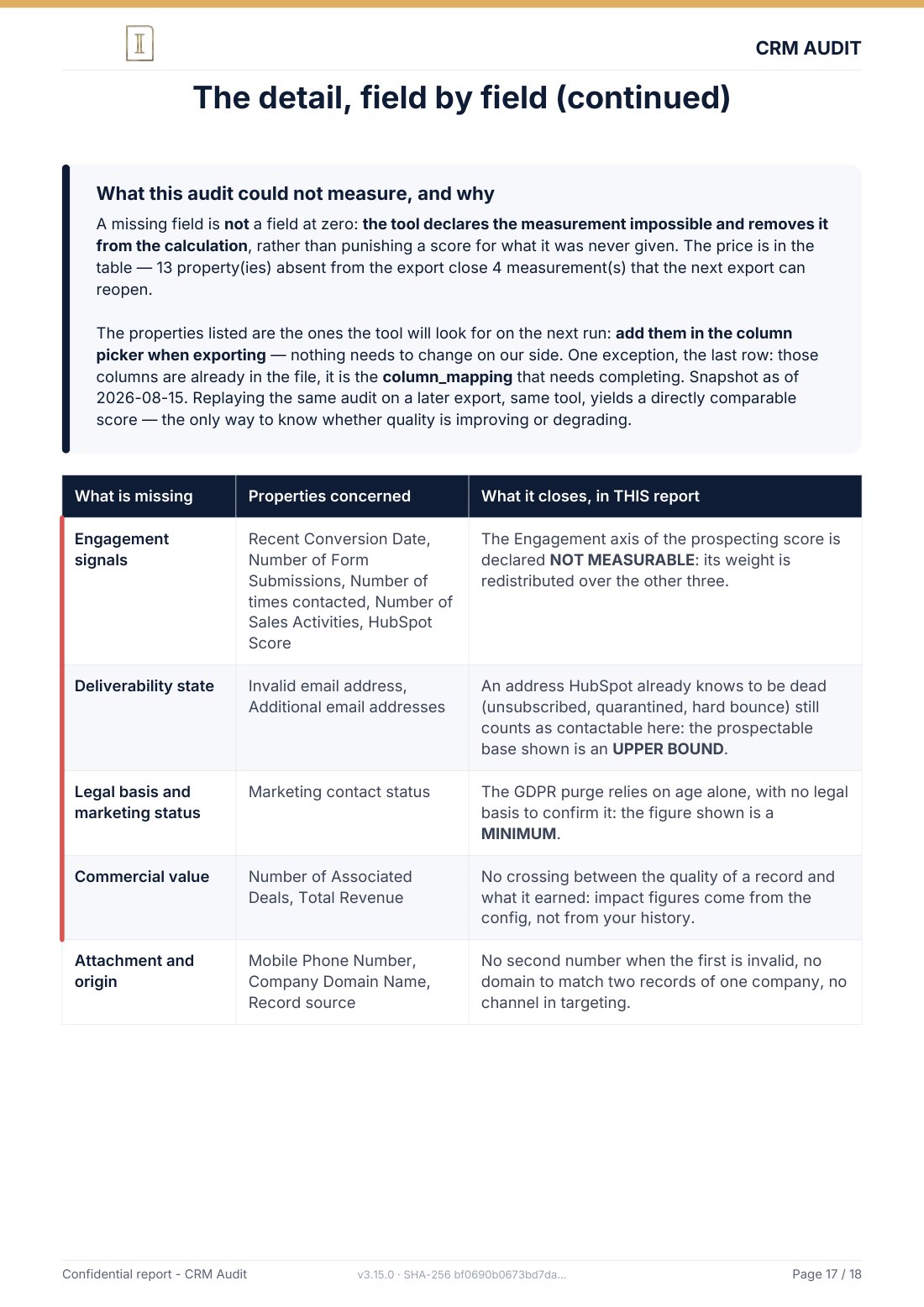
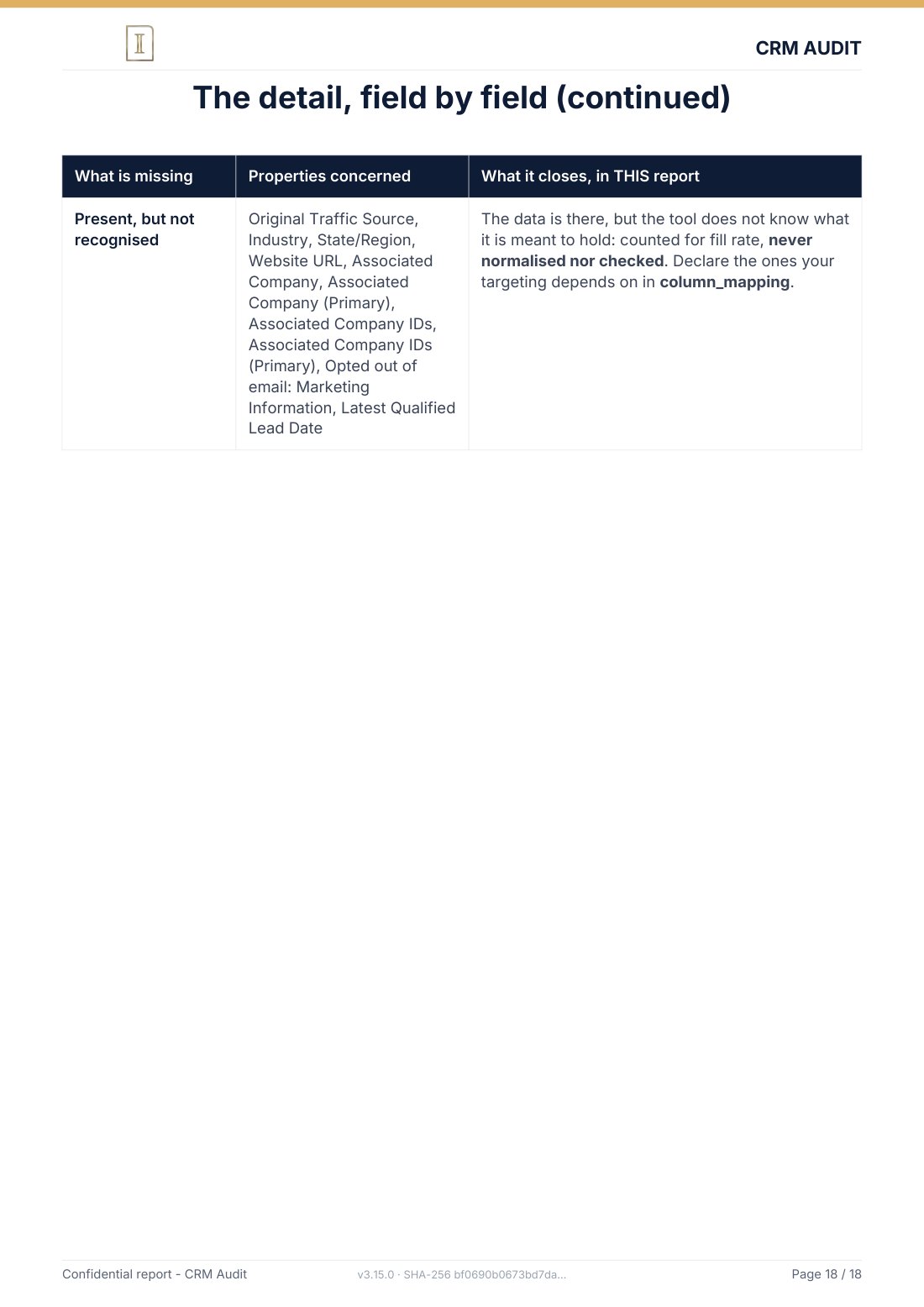
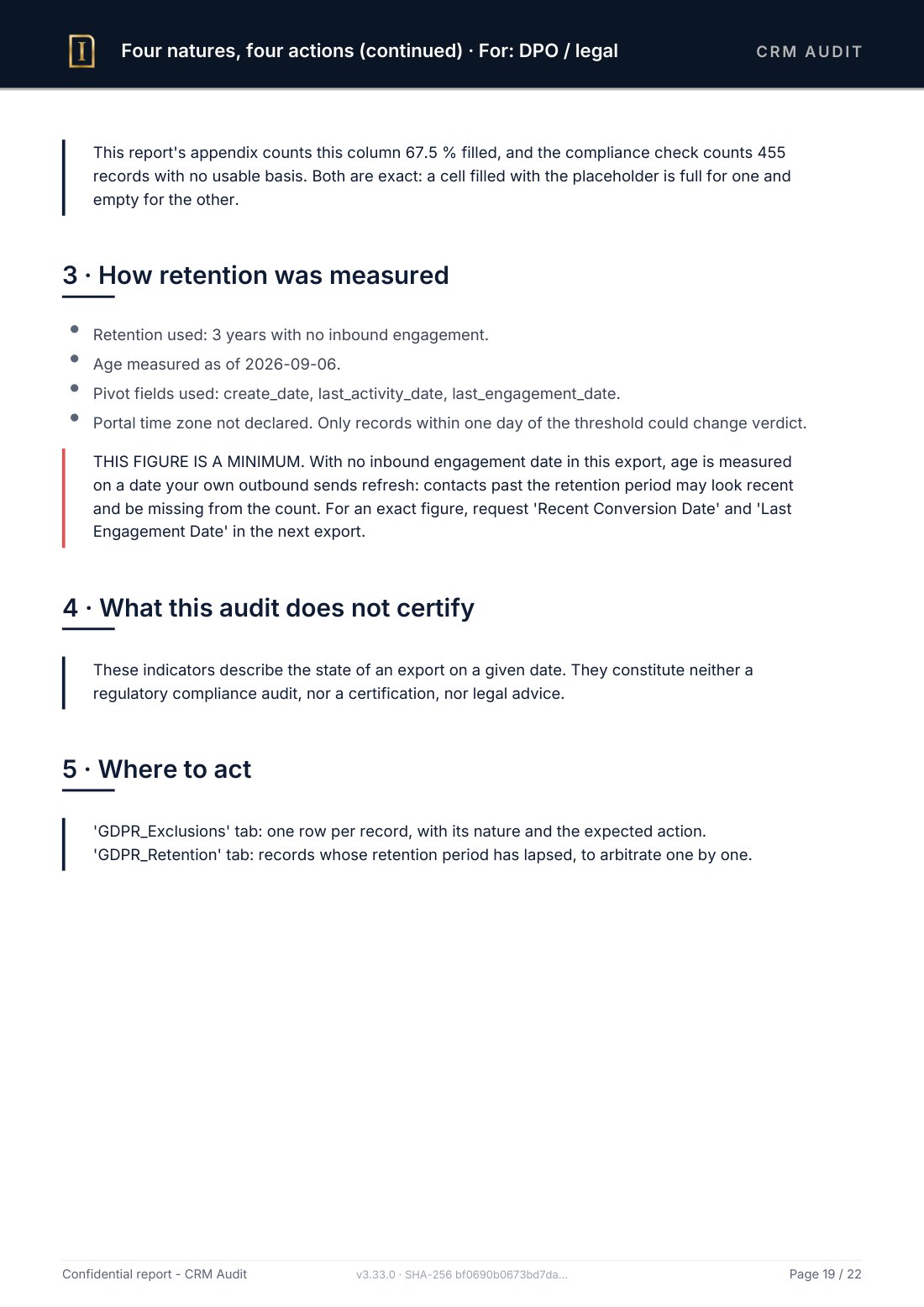
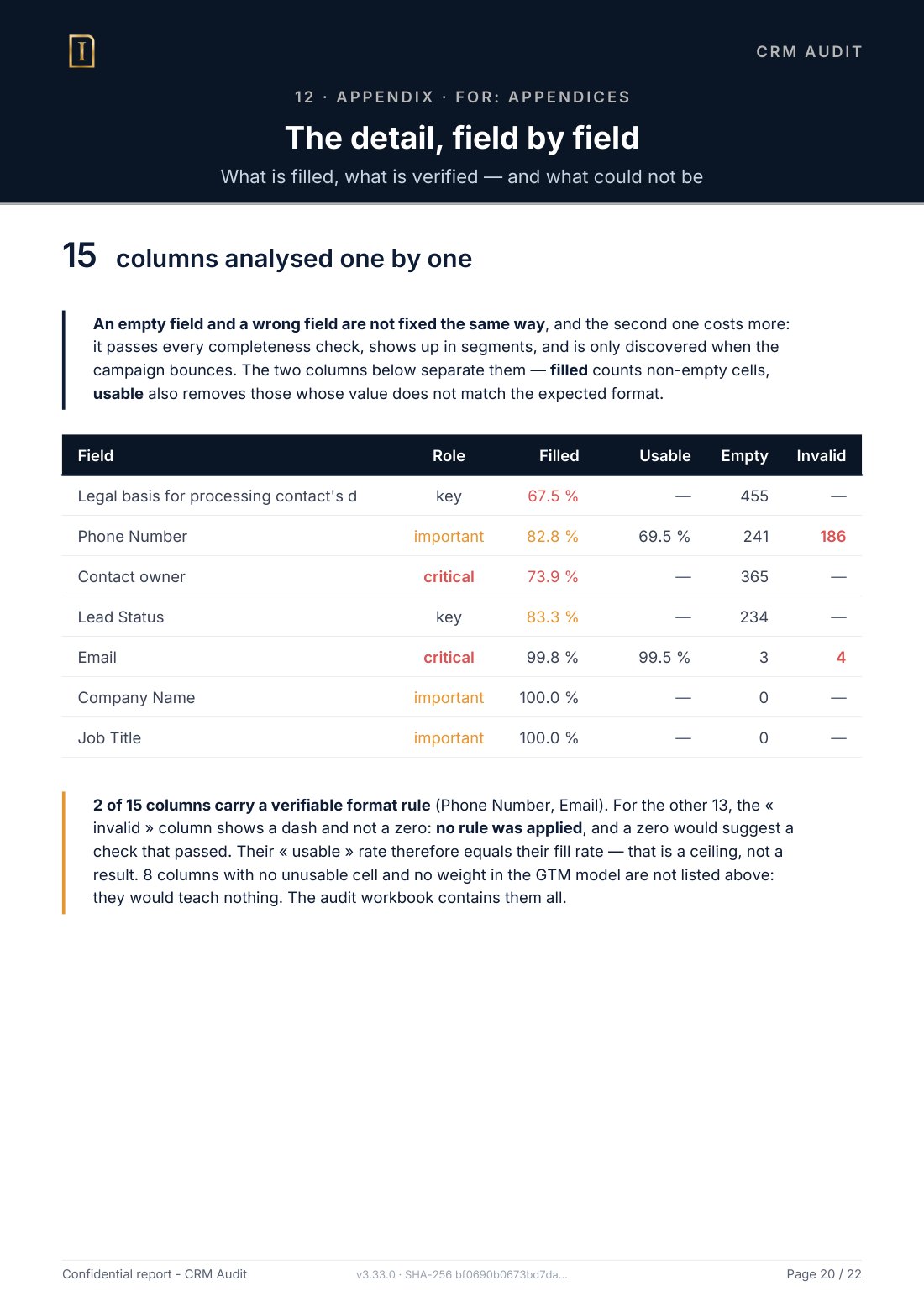
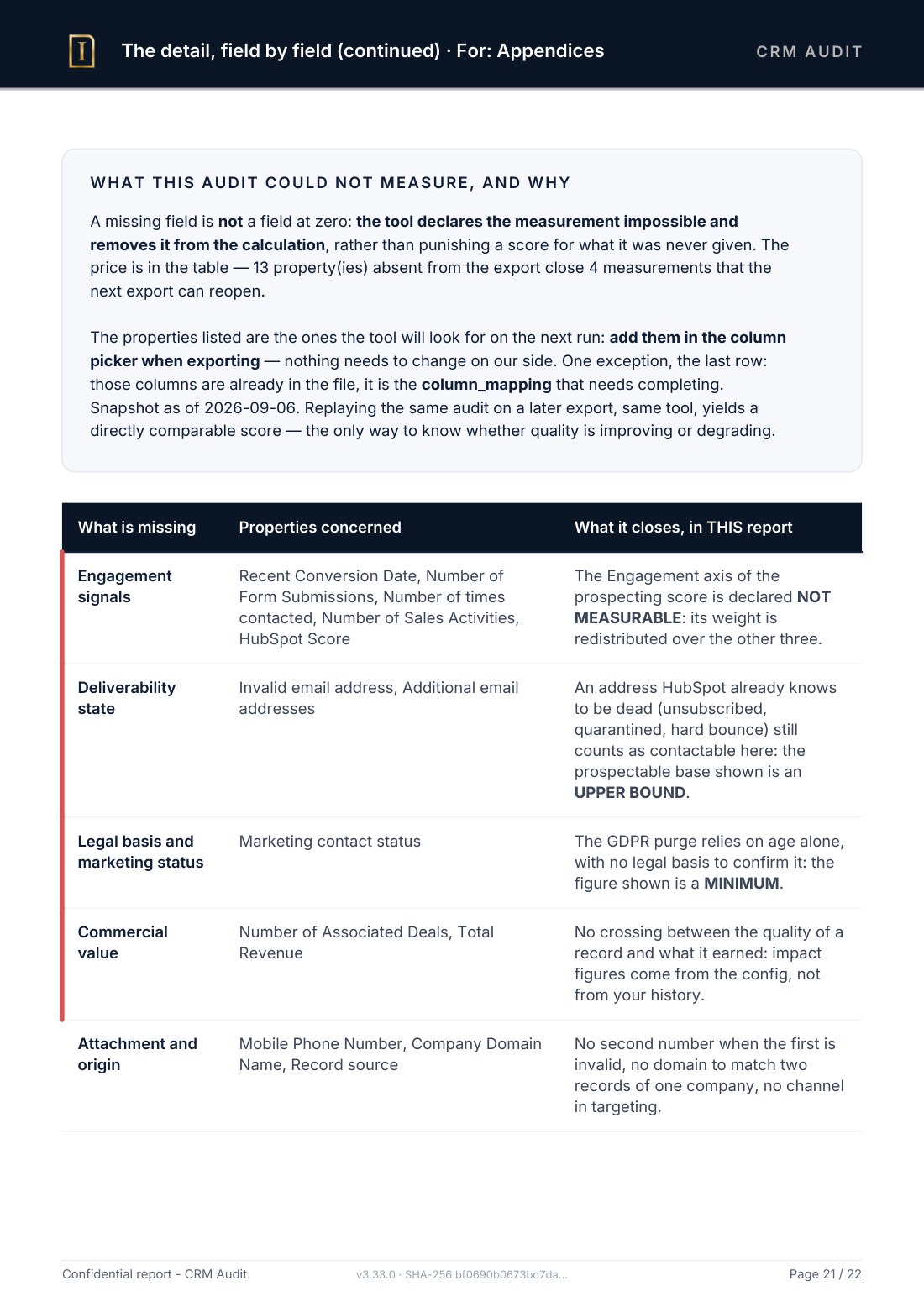

The workbook is there to work with. Its number of tabs varies from one export to the next: a sheet with nothing to fill it is not produced. Its first sheet tells you where to start, how many decisions are left to make, and above all what a simple import settles versus what needs someone to decide. The others carry the detail, line by line, with what you need to refuse what I propose.
See the tabs one by oneSee the other tabs
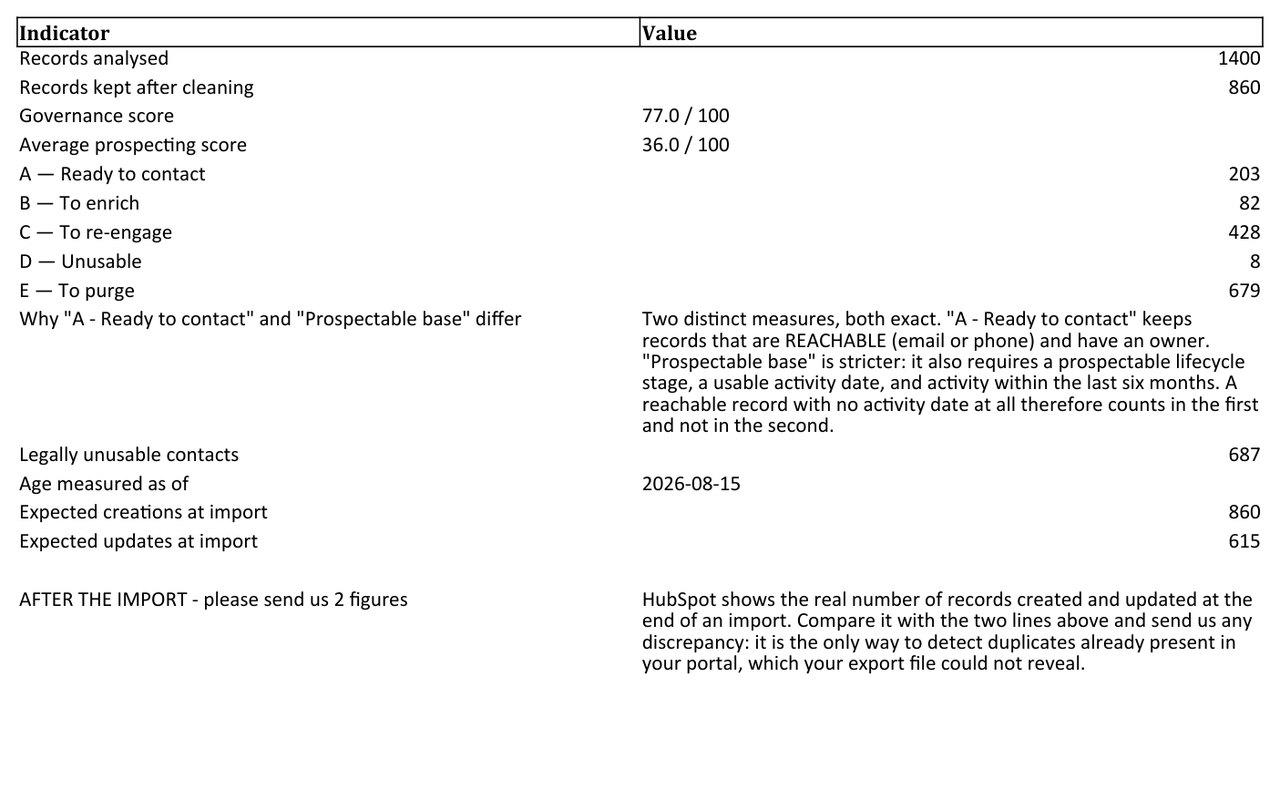
The audit in fifteen figures, gaps explained
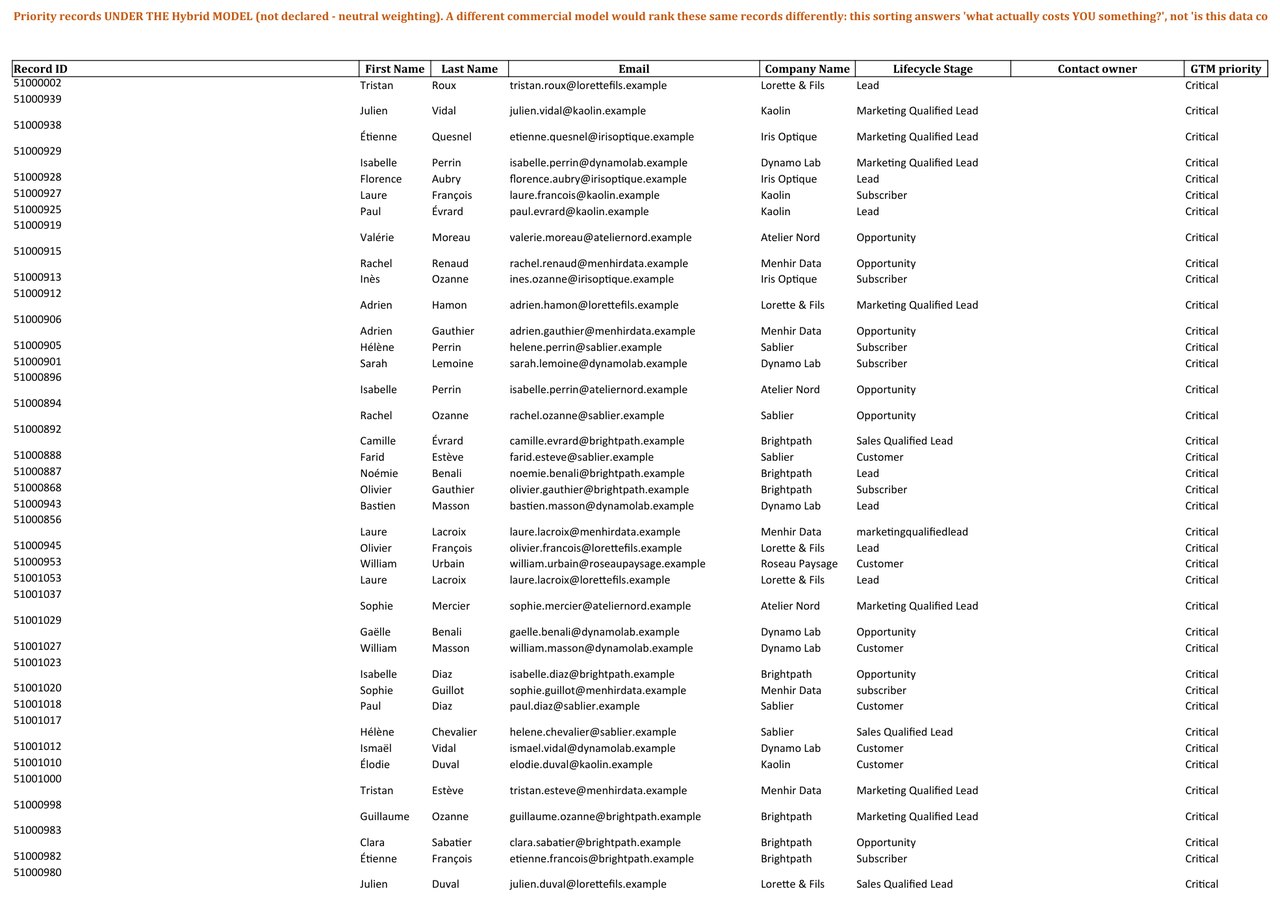
Priority records according to your go-to-market model
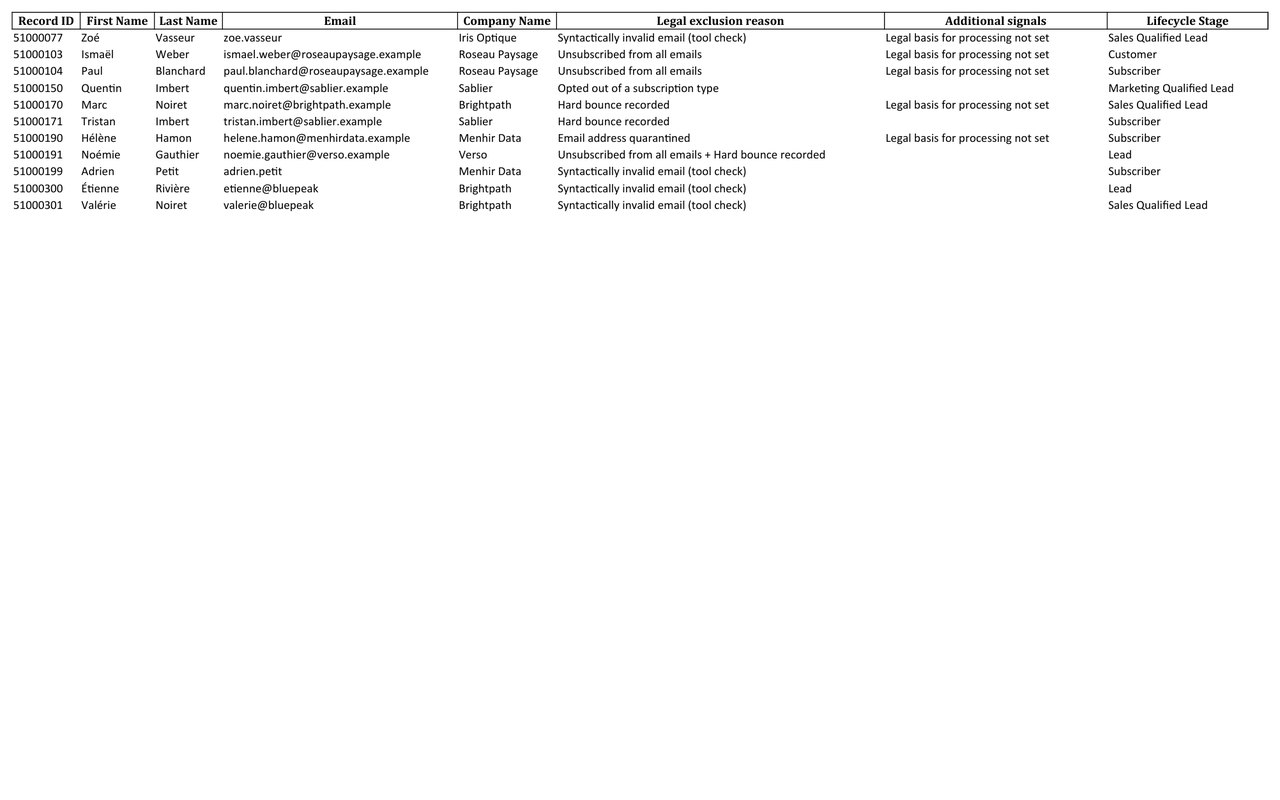
Contacts to exclude from any campaign, with the reason
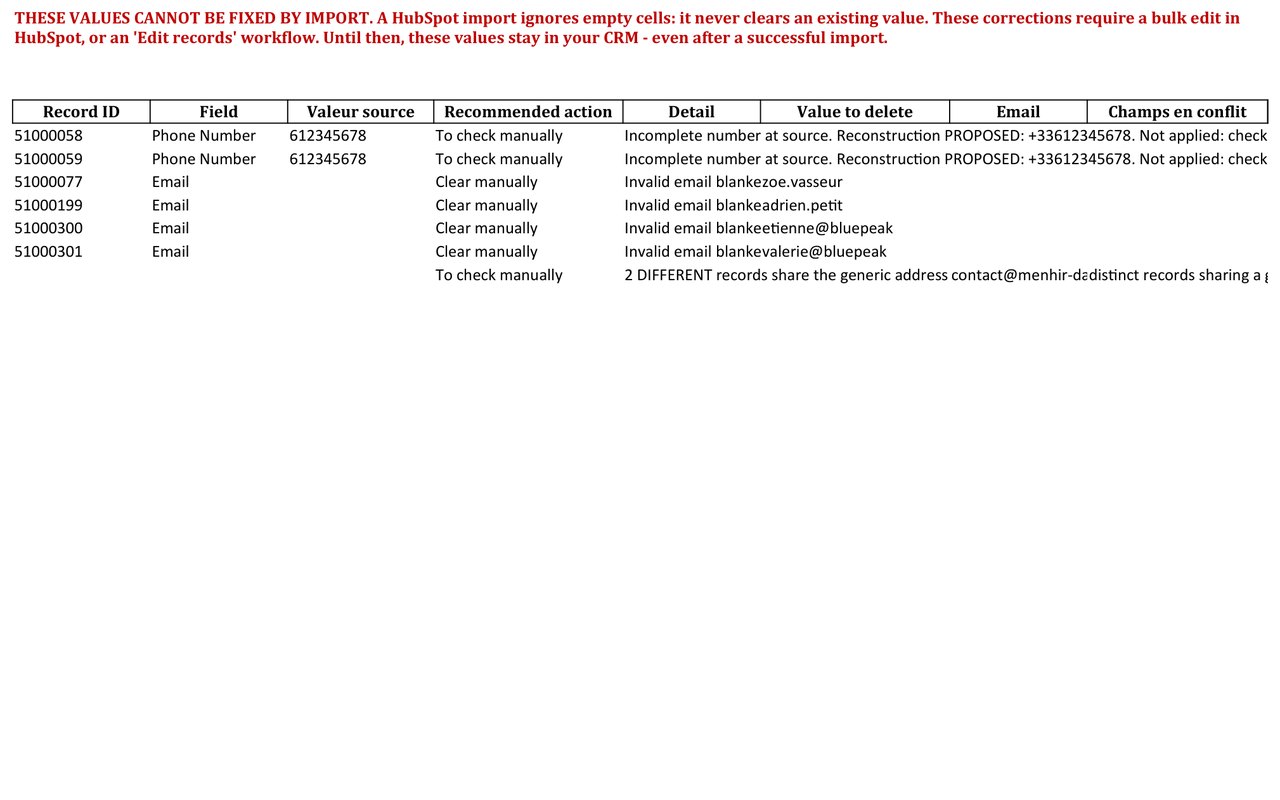
What an import cannot repair, and what you must decide
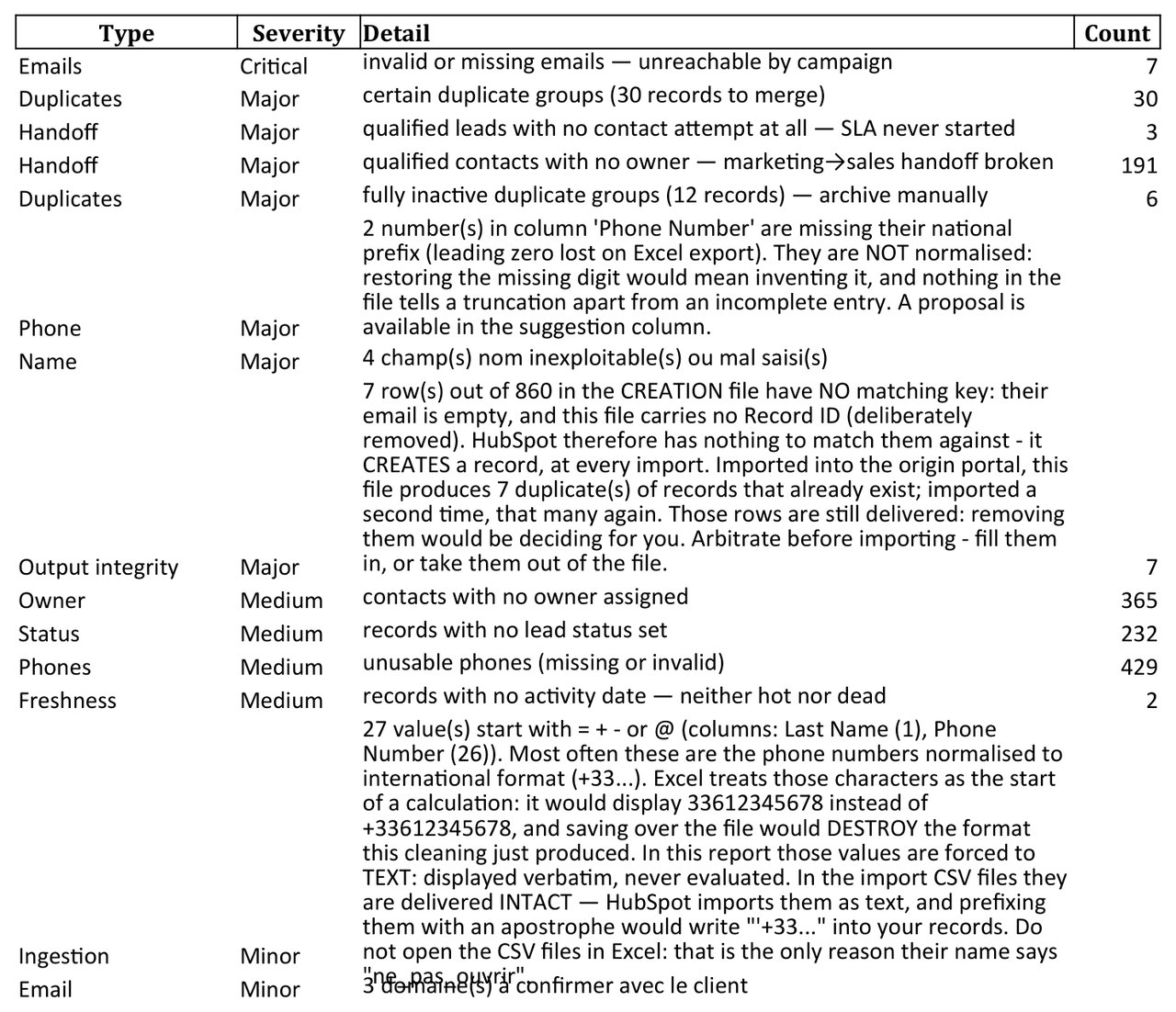
What was flagged without being corrected, ranked by severity
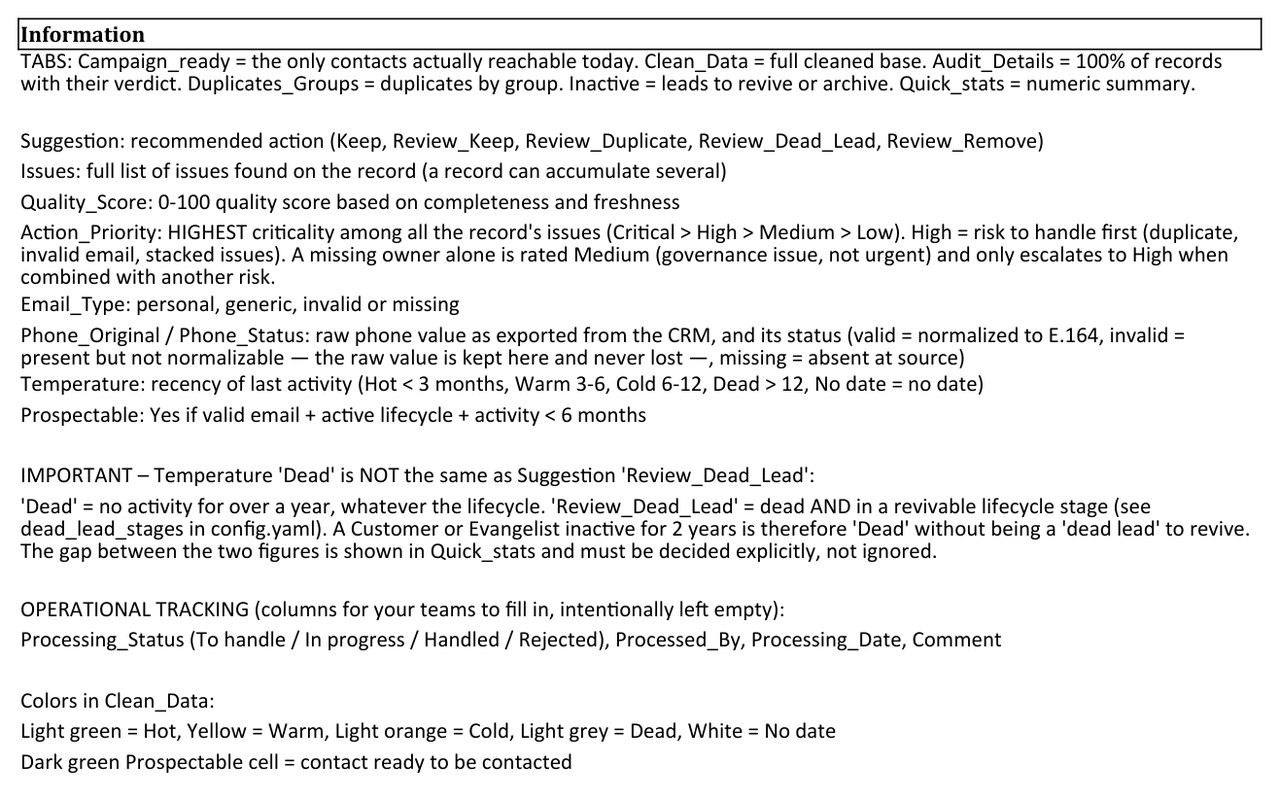
What every column and every colour code means
The file ready to reimport holds only what moved: not the columns I did not touch, nor the records that did not change. In practice: names, phone numbers and countries.
The rest is not in it, and that is not thrift: reimporting a value I have not corrected would mean writing into your CRM without you asking for it.
The report, workbook and instructions can be produced in French and in English.
Four objects, and the links between them
The same audit, whichever object you send.
Contacts, companies, deals, tickets. The contact is the most complete case, because that is where compliance and reachability live. On the other three, the tool measures what makes sense for them, and it states plainly what it did not measure and why. One example: the GDPR section does not run on companies. A company is not a natural person, no retention period runs against it, and showing a figure would invent an obligation that does not exist.
And it gives the links back. The columns that attach a contact to its company, a deal to its customer, a ticket to its requester do not reimport like properties: they are lost.
The tool rebuilds them from the identifiers HubSpot wrote itself. It invents none: when a link is certain, it is delivered; when it rests on a company name with no identifier, it is flagged and never written. The file is separate, and you import it if you decide to.
How it works
No access to your HubSpot portal. One export is enough, and it never leaves France.
You export
A few clicks in HubSpot, the procedure is provided. You fill in the form, and I send you the data processing agreement and the drop link by email. Your file then goes to depot.inspectable.fr, my server hosted in France by OVH, the only provider hosting it, and the transfer is encrypted.
Nothing else to do: no account to create, no app to authorise, no API key, nothing to revoke afterwards, nothing to get signed off by an IT department. I never open your portal, and a provider with no access cannot damage your base, not even by mistake.
I audit
The file is removed from the drop server on receipt, and a daily technical backup may keep a copy for up to 24 hours. It is then analysed offline, on a named workstation, where your data lives only inside an encrypted container. The detail is in the legal notice.
Completeness, consistency, duplicates, compliance, phones, emails. No record is merged or deleted, no value is guessed. The audit reads an export at one date, not what your workflows do in between.
You receive
Within 24h: the report, the workbook and the correction file, in the exact formats HubSpot expects. Everything the file would write can be read before the import, line by line, in the workbook. You are the one who imports, with your credentials, when you decide, and you can also import nothing at all.
My working copies are deleted no later than 30 days after your sign-off, with written confirmation. This is not a habit, it is a clause in the data processing agreement.
Never by email: an email crosses several servers and leaves a copy on each side, which nobody can guarantee deleted. The drop server avoids that. The audit reads an export at one date, not what your workflows do in between.
A specialist, not a platform
You hand your customer file to a named, certified person, not an anonymous service

Anthony Abreu
I am curious by nature. Learning, understanding how things work, questioning what I thought I knew: that drives me more than any single topic. Watchmaking is one of my passions, and it sums me up quite well. Structure and detail matter, and I would rather look at things in depth than skim over them.
That is exactly the mindset I apply to CRMs. What I enjoy is diving into a base and understanding how a team actually uses it, not how it is supposed to.
I built Inspectable: a tool calibrated for HubSpot only. It standardises formats, it proposes what deserves a decision, and it applies nothing in your portal. I read every report before sending it. A question before you decide? Write to me, by email or on LinkedIn.
Start for free
The mini-audit gives you a figure. The other two give you something to act on.
Mini-audit
- Overall health score out of 100
- Share of the base that is truly prospectable
- The heaviest GDPR nature, with its count
- The first action to take, quantified
- The rest of the report, section by section
- Excel workbook
- Import ready files
Full audit
- Full PDF report, section by section
- The 5 quality indicators, in detail
- Portfolios: who owns the base, and in what condition
- Targeting, funnel, 30 / 60 / 90 day action plan
- Appendix: what could not be measured, and why
- Excel workbook
- Import ready files
Audit + files
- Everything in the full audit, section by section
- Excel workbook, every decision traced
- Prepared base: duplicates grouped, email fixes proposed
- Phones normalised to the international E.164 format
- The update CSV, ready to reimport into your portal
- Step by step reimport procedure, tested
All three offers, including the free mini-audit, fall under the same contract: DPA signed before any transfer, and deletion of your file no later than 30 days after your sign-off, confirmed in writing.
And six months later?
An audit tells you where you stand. It does not tell you whether what you did afterwards worked. The follow-up audit replays the same diagnosis on your current export and publishes the gap across thirteen indicators: governance score, remaining duplicates, reachable contacts, GDPR obligations.
And it refuses to credit you with progress that is not yours: if the gap comes from a change of tool or from time passing, that is printed before the table. And if your export has changed scope, it says so: the affected indicators are marked "not comparable" rather than replayed against a base that is no longer the same.
Follow-up, full audit: €290. The full audit replayed on your
current export, plus the Evolution page.
Follow-up, audit + files: €590. The same, plus the files.
No subscription, no due date: you ask for it when you decide to, six months later or two years on. A second audit run on an already corrected base proposes nothing again.
Both assume a first Inspectable audit, whose report serves as the comparison point. Request them from the form below.
The difference between the two paid tiers is not a page count: it is knowing versus doing. The full audit is read in a team meeting and structures the decision. The pack adds the files that apply the fixes inside HubSpot.
Choose your offer
Three details are enough. I send you the data processing agreement and the drop link by email. What you enter here is used to calibrate the report to your commercial model, nothing else.
Your data is used only to answer your request. Details and your rights in the legal notice.
These details go through FormSubmit (United States) to reach me. Your export goes to my drop server in France, and nowhere else.
Frequently asked questions
Do I need to give access to my HubSpot portal?
No, never. Everything is done from a simple CSV or Excel export that you generate yourself in two clicks. I send you the exact procedure. You are the one who reimports the cleaned files.
Why offline? What does it change?
"Offline" means three things. First, nobody connects to your portal: no API key, no app to authorise, no access to revoke. Second, the file travels once, to a drop server hosted in France, from which it is removed on receipt before being analysed on my own machine. Third, nothing is written into your CRM for you: you receive a file, and you are the one who imports it.
What happens if the free mini-audit reveals nothing serious?
Then you pay nothing and leave reassured: your base is healthy. The mini-audit is genuinely free, with no commitment.
Are the delivered files ready to reimport into HubSpot?
Yes: exact HubSpot import column formats, phones normalised to the international E.164 format, proposed email fixes, and a step by step "How to reimport" tab. The delivery contains only one file to import, the update file: there is no choice to make. The instructions walk you through it step by step, and I stay available during your reimport.
What if my base is larger than 10,000 contacts?
That works too, on a quick quote (usually 48h of turnaround instead of 24h). Write to me with the approximate volume.
Does Inspectable work with CRMs other than HubSpot?
No, and it is deliberate. The tool is calibrated on HubSpot properties, import formats and specific pitfalls. This focus lets me deliver files within 24h that HubSpot accepts as they are.
What are the limits of the audit?
The audit is offline, so I cannot see your active workflows, your regex validation rules or your quotas: they live in your portal. The report states these limits clearly and gives you a checklist to verify them before import. A serious audit says what it cannot see; a black box does not.
HubSpot Guides
The full method, including how to do it without me
Clean your HubSpot contact base: the complete method
The 5 indicators of a healthy base, temperature segmentation, and risk free reimport.
Read the guide → DuplicatesRemove duplicates in HubSpot: the complete guide
Native tool, Excel export method, and the pitfalls of a permanent merge.
Read the guide → ImportsHubSpot import errors: understand, fix, prevent
Formats, mapping, dropdowns: why your imports fail and the checklist to import safely.
Read the guide → ExportExport your HubSpot contacts: the step by step guide
The clean procedure, the essential columns and the pitfalls to avoid before reimport.
Read the guide →How many real prospects are in your base?
The free mini-audit gives you the figure in 24h. One export, a few details, and you know where you stand.
Get my free mini-audit